
Two notifications a week. Total.
A Sunday evening weekly digest, and one resurfaced save on Tuesday or Thursday evening. Glean never asks for notification permission on first launch, and Home Screen Widgets + Spotlight keep your saves one tap away.
AI Bookmark Manager · iPhone + iPad + Mac · Keep the idea, find its landscape
Stop burying great articles, videos, and places in folders you never reopen. Save any link or thought in two seconds—Glean summarizes it, groups related ideas automatically, and answers questions from your own library with numbered citations.
Tap any topic chip or press Return to watch Glean read matching saves and write an answer with numbered citations.
01 / How Glean Works
Most read-it-later apps turn into a guilt pile because they ask you to file and tag every link. Glean does the reading, connecting, and resurfacing for you.
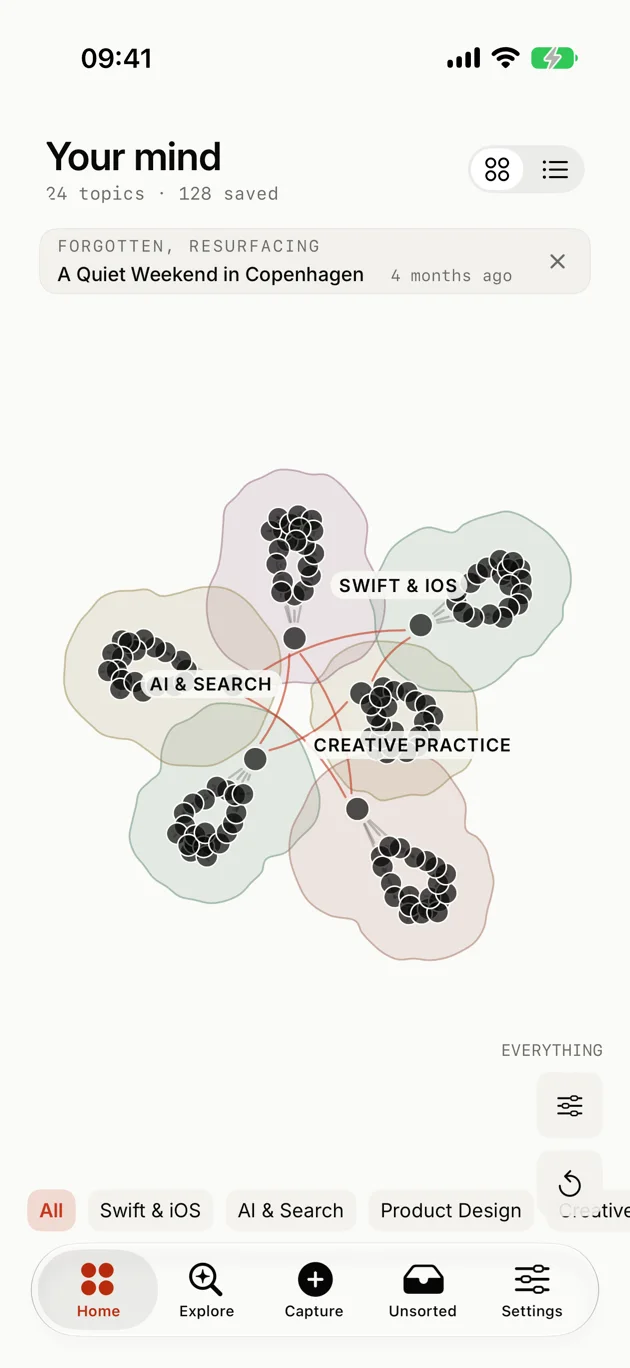
02 / Personal Pages & Custom Artwork
Instead of leaving your bookmarks in an unread list, Glean weaves related saves into personal Pages. Every claim cites the save it came from, and every header is illustrated on your device.
Weekly Sunday digests and monthly pages written by Glean never count toward your limit.
03 / Why People Switch to Glean
Traditional bookmark apps require endless folder maintenance, and complex note tools turn you into a part-time librarian. Glean keeps your library organized automatically and respects your attention.
| Capability | Glean — Visual Memory | Bookmark & Read-Later Apps (Raindrop, Instapaper, Reading List) |
Manual Note & PKM Tools (Obsidian, Notion, Capacities) |
|---|---|---|---|
| Organization & Filing | ✓ Zero folders or manual tags. Related saves cluster automatically by topic. | Manual folders, nested collections, and tags you have to maintain yourself. | Requires manual backlinking, properties, or database templates. |
| Summaries & Key Ideas | ✓ Automatic on every save. Extracts clean summaries, key concepts, and places in the background. | Raw unread link lists or paid add-ons without cross-library answers. | Manual copy-pasting or third-party plugin setup required. |
| Search & Question Answering | ✓ Search by words or meaning with cited Ask Glean answers ([1] [2]) from your own saves. |
Exact keyword matching only; fails when you remember the idea but forgot the title. | Keyword search across markdown files or databases. |
| Personal Pages & Maps | ✓ Written on your device every Sunday with custom header art and Apple Maps place pins. | None—items stay as flat rows in an unread feed. | Only what you sit down and write by hand. |
| Notifications & Resurfacing | ✓ Two notifications a week. Total. Plus one older save resurfaced each day on Home & Widgets. | Unread badge counters that pile up into digital guilt. | Old notes sink to the bottom unless manually reviewed. |
A Sunday evening weekly digest, and one resurfaced save on Tuesday or Thursday evening. Glean never asks for notification permission on first launch, and Home Screen Widgets + Spotlight keep your saves one tap away.
On your device: Your personal Pages, Ask Glean answers, Image Playground header art, and offline reading cache.
Encrypted sync: Fetching links you save and syncing across your iPhone, iPad, and Mac—with one-tap full account deletion anytime.
After Mozilla shut down Pocket, thousands of readers needed a calm, native Apple home for their links. Glean is built by an independent developer—no ads, no tracking, and no VC growth traps. Just an honest tool supported by its readers.
04 / Universal Apple App
One universal download across your Apple devices, with instant offline reading so your library is always with you—even on a flight.
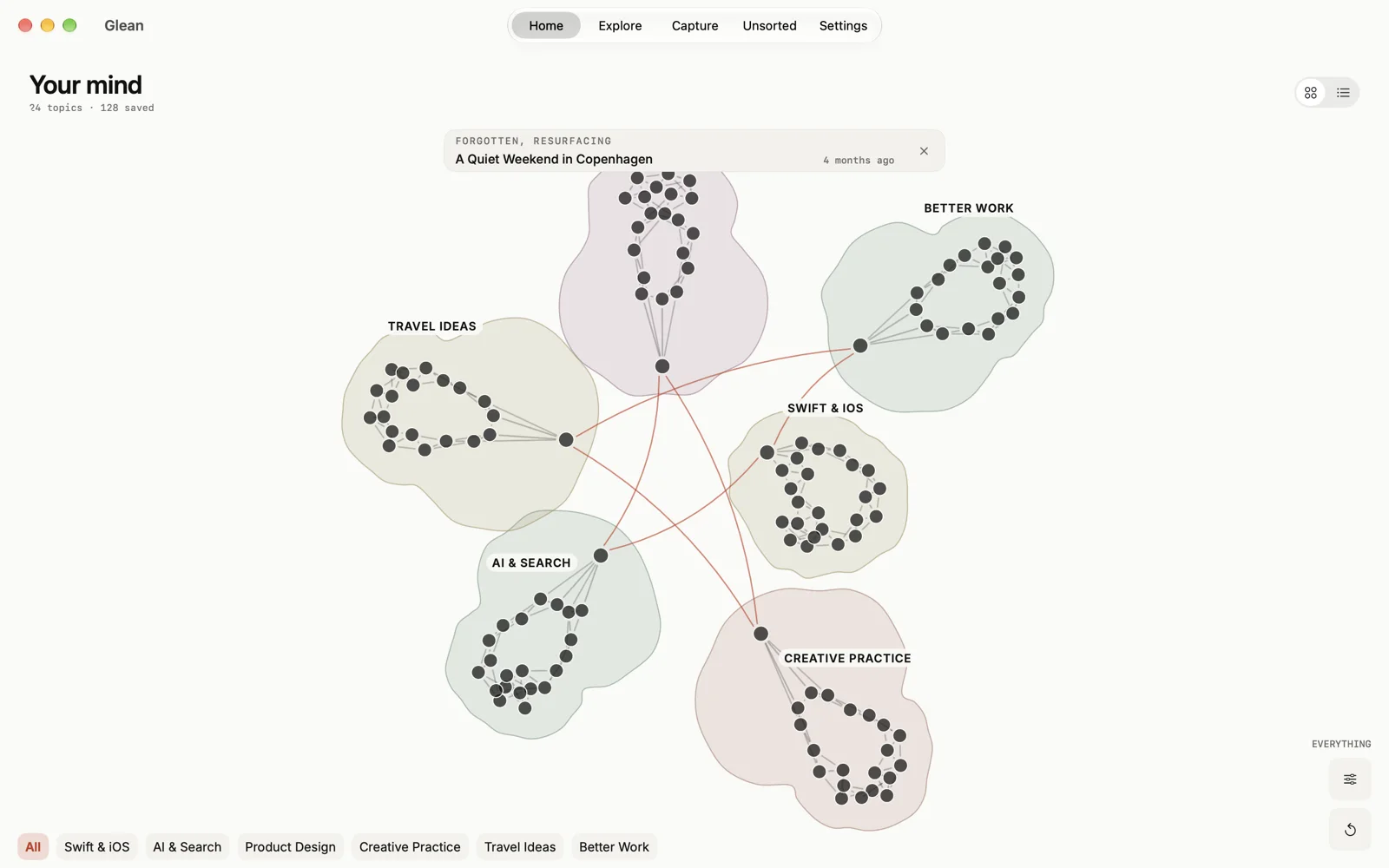
Watch a saved link travel from the Share Sheet into the Knowledge Map, connect with related saves, and answer a question with citations.
Send links or selected text from Safari, Arc, or any Mac app via the Share menu, then explore your full Knowledge Map on a Retina display.
05 / Simple, Transparent Pricing & FAQ
Try every feature with your first 100 saved items and 5 custom Search Pages completely free—no credit card or forced trial. Pages that Glean writes for you every Sunday and month never count against your limit.
Glean runs on every iPhone, iPad, and Mac with iOS 26, iPadOS 26, or macOS 26—including two-second Share Sheet capture, automatic summaries, the interactive Knowledge Atlas, search by words or meaning, and geometric Page headers. On-device glowing prose (Ask Glean and Pages writing) and custom Image Playground illustrations require an Apple Intelligence device (iPhone 15 Pro, iPhone 16 or newer, or an iPad/Mac with an M1 chip or newer).
Your device writes your personal Pages, composes Ask Glean answers, draws Image Playground header art, and keeps a full offline copy of your library. Encrypted cloud services are used only to fetch and summarize links you save in the background and sync your library across your iPhone, iPad, and Mac. There are no ads, no trackers, and you can permanently erase your entire account in one tap from Settings → Delete account.
You can save articles, blog posts, YouTube videos, X and Instagram posts, GitHub repositories, documentation, travel spots, selected quotes, and quick notes from the Share Sheet on iPhone, iPad, and Mac. If you are moving over after Pocket's shutdown or switching from Raindrop or Safari Reading List, you can start with 100 free saves immediately without setting up a single folder or tag.
Glean is free forever for your first 100 saved items and 5 custom Search Pages, with no credit card or trial timer. Weekly Sunday digests, monthly summaries, and resurfaced topic pages written by Glean never count against your limit. When your library grows past 100 saves, Glean Standard is $2.99/month for up to 1,000 saves, 50 custom Search Pages, and Apple Maps pins on search pages.